
Product updates
Features, functional improvements and fixes, from newest to oldest.
-
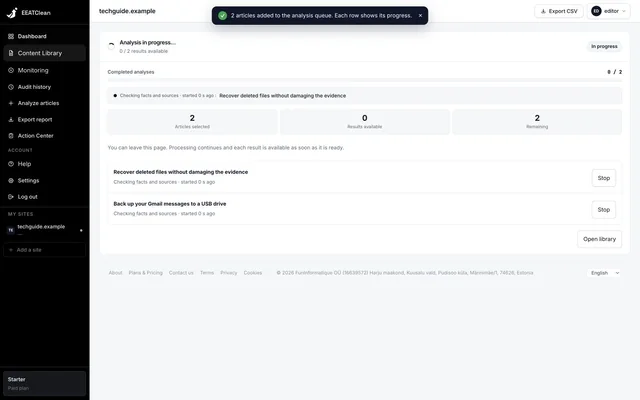
Stop an individual analysis
An article can be stopped while queued or running. The option to cancel queued work only appears when there is work waiting, avoiding a button that seems to do nothing.
Read the release note -
A fairer analysis queue
Available processing capacity is distributed between accounts, so a large request does not monopolise all new starts. Work can recover after an interrupted process.
Read the release note -
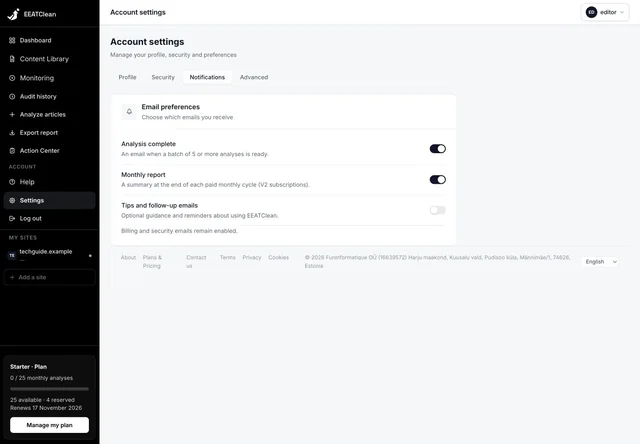
Completion emails for larger requests
For requests of at least five articles, the completion email summarises results and priority articles, with a link back to the relevant library view. This allows you to leave the progress page while work continues.
Read the release note
-
Less surrounding-page noise
Article extraction better separates editorial content from related-article blocks, author panels and other surrounding elements. WordPress article content is preferred where available.
Read the release note -
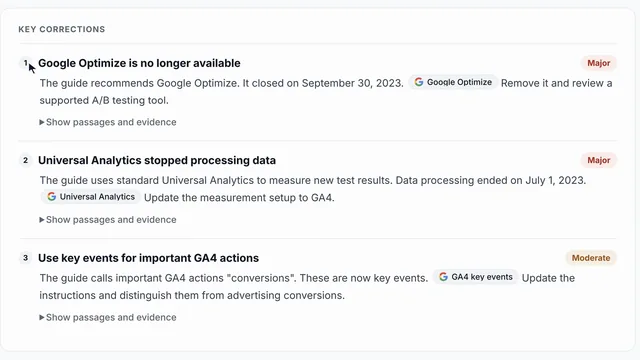
Fewer cosmetic corrections
Capitalisation-only differences and subjective wording are no longer treated as factual issues in the same way. The analysis is directed toward changes that affect the information a reader receives.
Read the release note -
A positive diagnosis when no correction is found
Reports without identified corrections now state more plainly that no update was found necessary in the checks performed, rather than forcing an unnecessary correction.
Read the release note
-
More compatible content reading
The reader handles more site structures, including articles discovered through WordPress, sitemaps and supported browser-assisted reading. Acquisition paths have been aligned so the content found during setup can be read consistently during analysis.
Read the release note
-
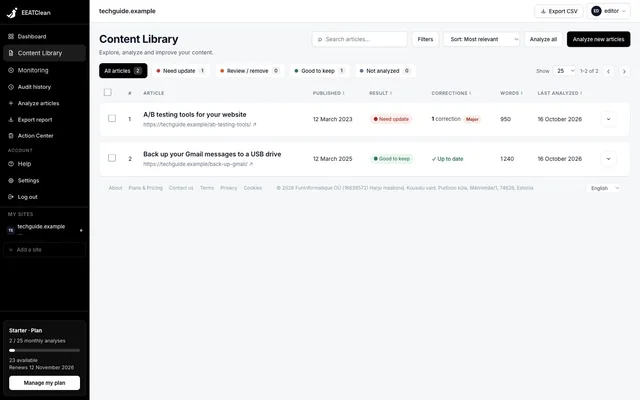
Import first, choose what to analyse
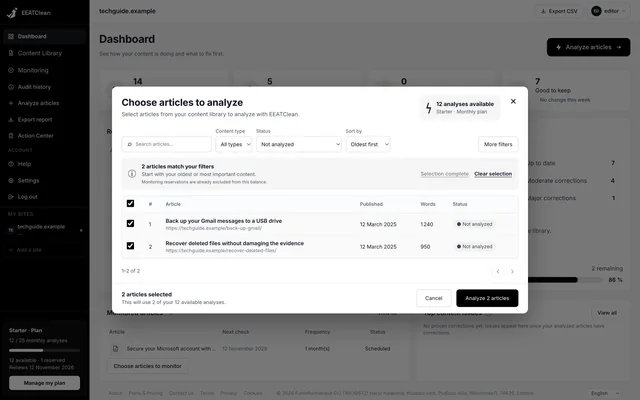
Discovered articles are added to the library before analysis. Imported content is counted separately from analysed content, so you can review the inventory and choose which articles to check.
Read the release note -
Reports kept in history
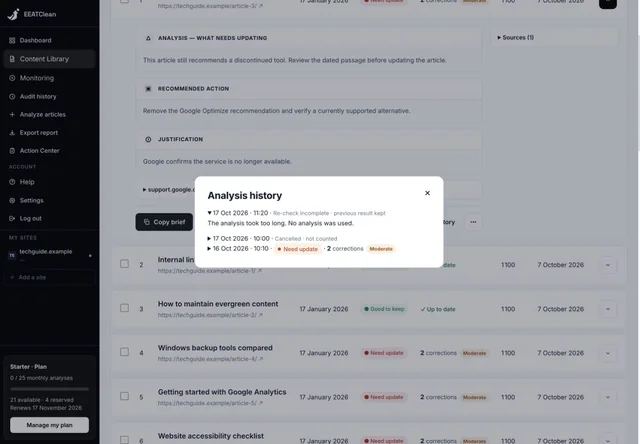
Completed reports are retained as separate analysis records. You can return to earlier results instead of losing the previous diagnosis when another check is attempted.
Read the release note -
Monitoring chosen article by article
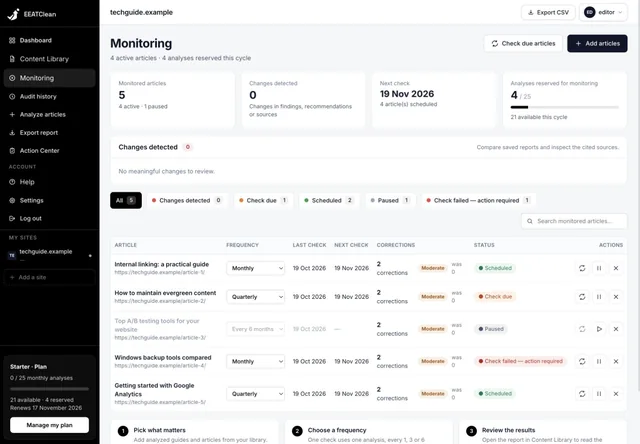
In the newer workspace, you select which analysed articles to monitor and choose checks every one, three or six months, instead of automatically enabling twice-monthly checks for the whole site.
Read the release note
-
Monitoring
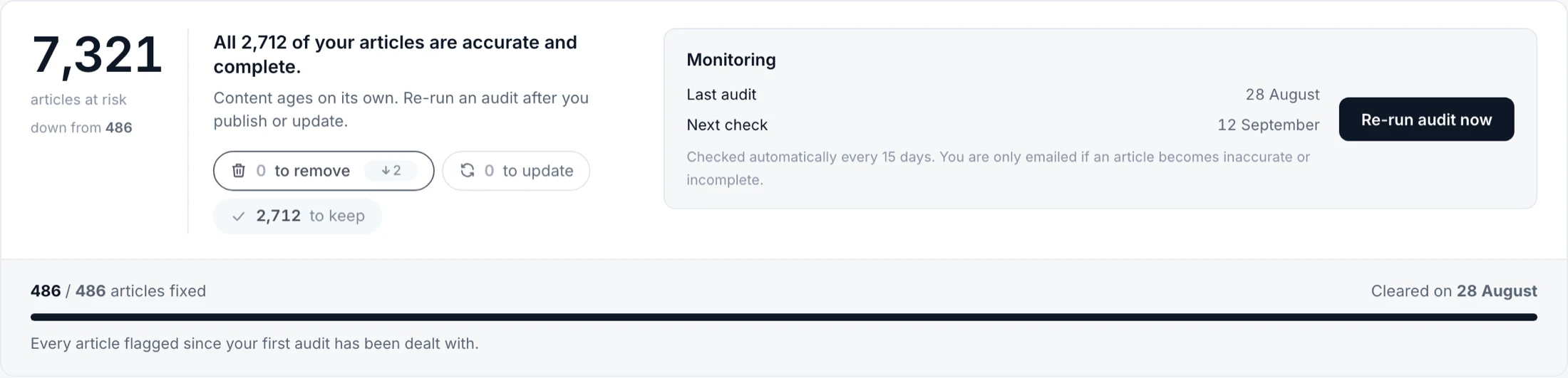
Once every article on your site is accurate, EEATClean keeps checking on its own, twice a month. You only hear from us when something stops being true. No email when everything holds.
Read the release note
-
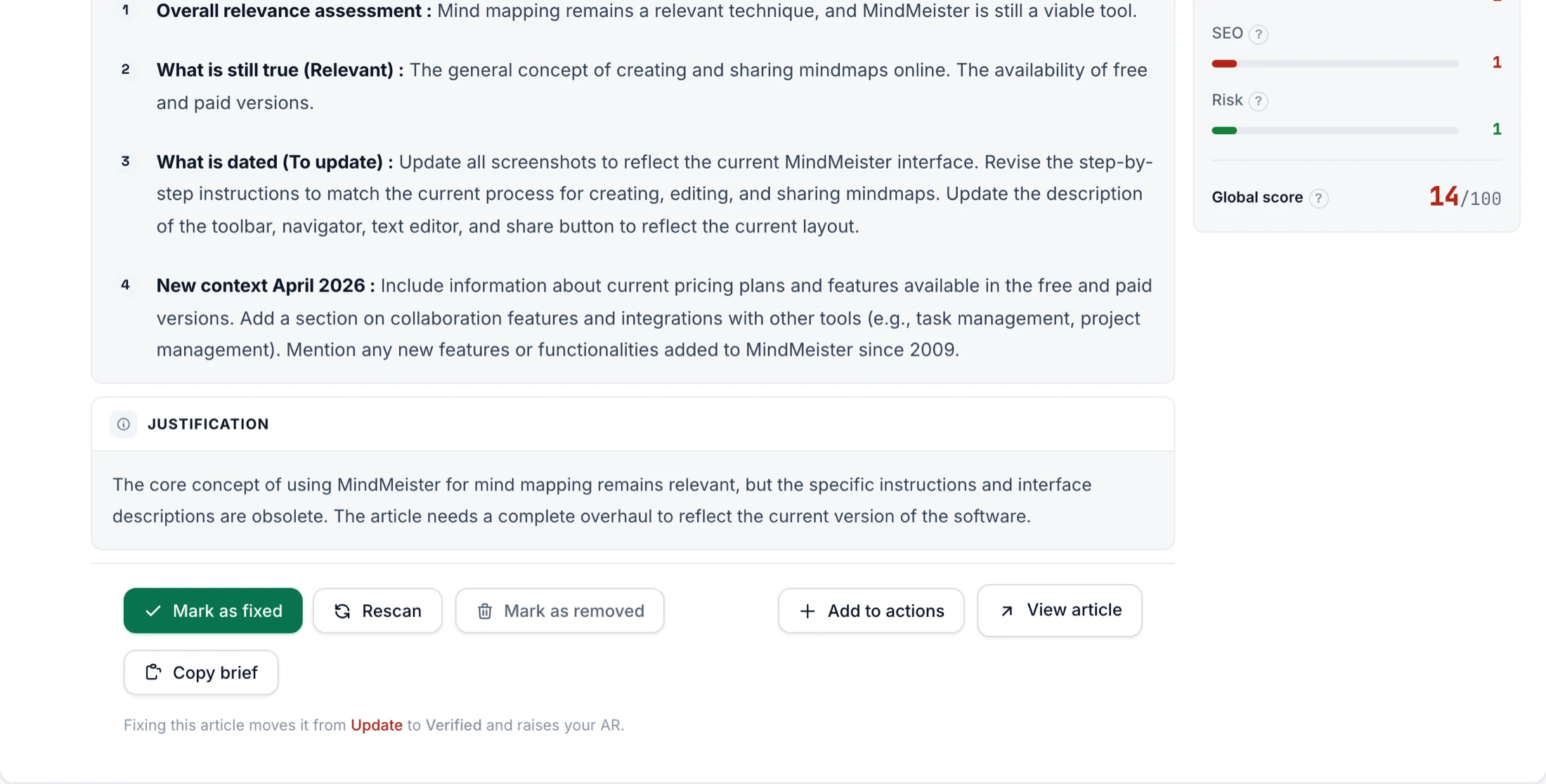
Copy brief
EEATClean now builds the prompt for you. A new Copy brief button turns an article’s analysis into a ready-to-use brief. Paste it into ChatGPT, or any AI, and it already knows what is outdated, why the article matters, and what to change.
Read the release note
Put the latest improvements to work.
Analyse your articles, review the evidence and follow your corrections in one workspace.