
Every improvement, documented.
35 release notesNovember 2025 – October 2026
Each bar counts published release notes. Older notes may group several changes.
Product updates
Features, functional improvements and fixes, from newest to oldest.
-
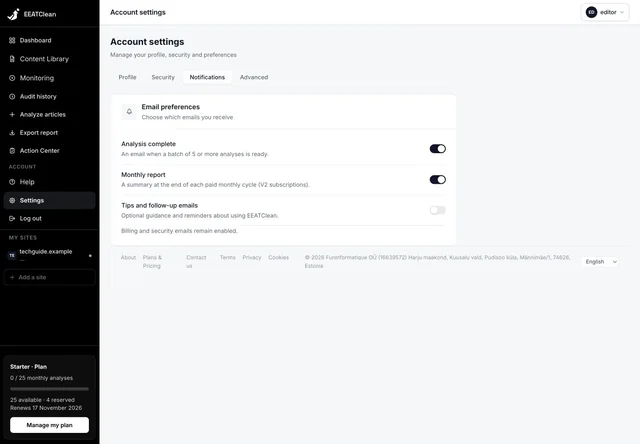
Notification preferences are saved
Analysis-completion emails and monthly report preferences are stored on your account and retained after reloading. Delivery checks the saved choice, including for messages already queued. Essential account messages remain separate.
Read the release note -
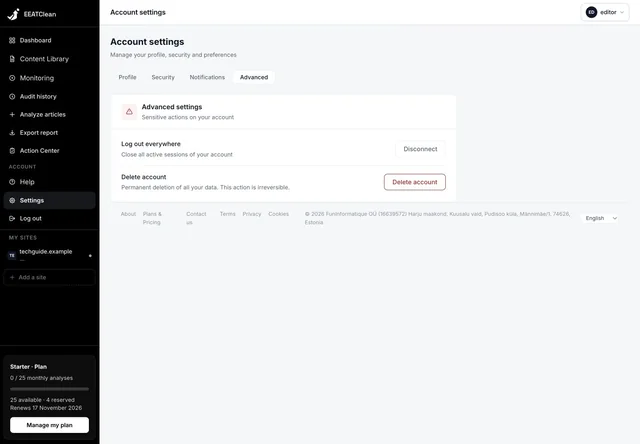
Log out everywhere works across sessions
The account control revokes existing sessions across devices. Access checks and session renewal also enforce account suspension, so a blocked account cannot continue through an older session.
Read the release note -
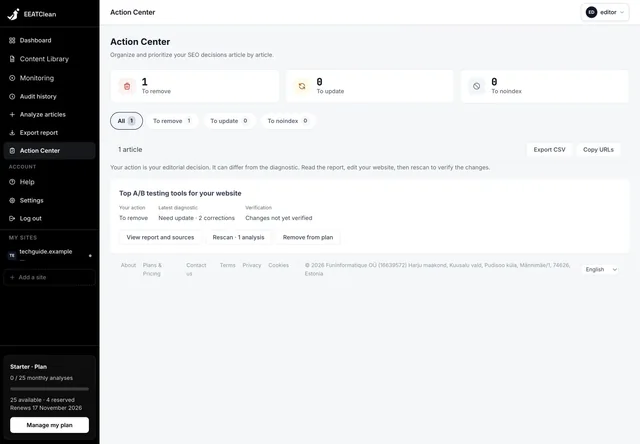
Verify editorial actions from Action Center
Open an article’s report, consult its sources and start a reanalysis directly from Action Center. Your chosen editorial action remains separate from the analysis verdict and verification status.
Read the release note -
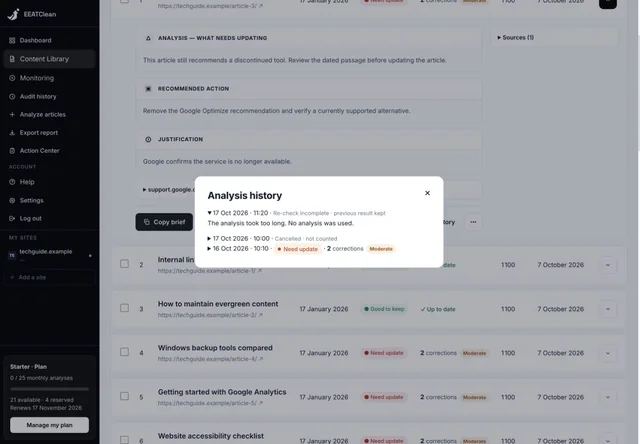
Useful explanations in article history
Failed analyses show an understandable cause instead of an empty dash. The history indicates when the previous successful report has been retained.
Read the release note
-
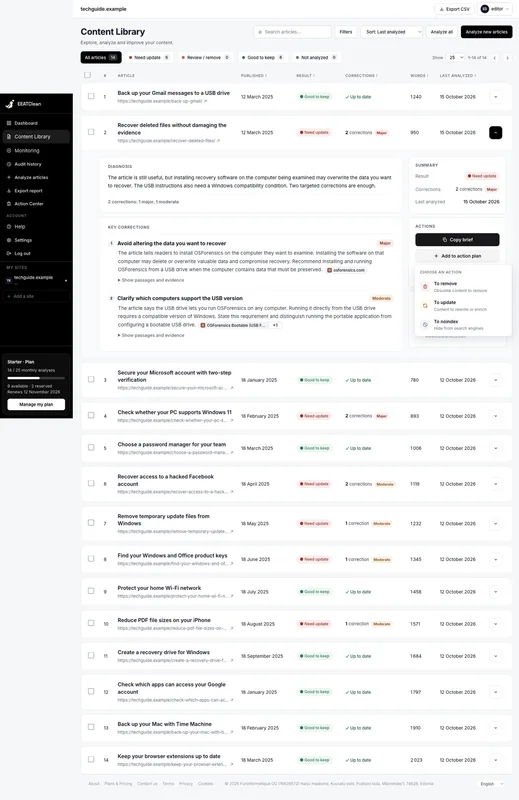
A real choice of action
Add to action plan opens a menu for Update, Remove or Noindex. The chosen action is displayed, and an article can be removed from the plan without changing its diagnosis.
Read the release note
-
Recheck the issues already found
A new analysis of an article uses its previous corrections as points to revisit. This helps follow the outcome of an edit rather than treating every rescan as an unrelated first inspection.
Read the release note -
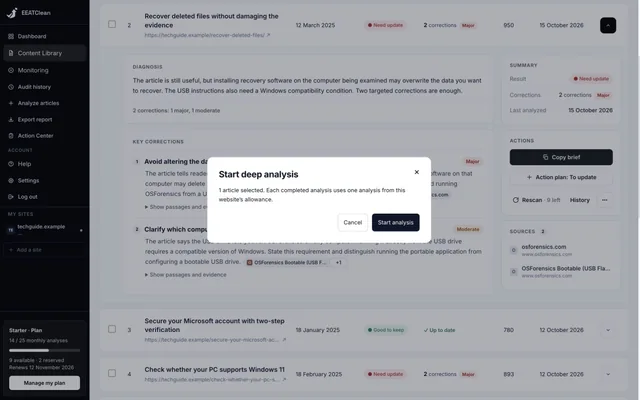
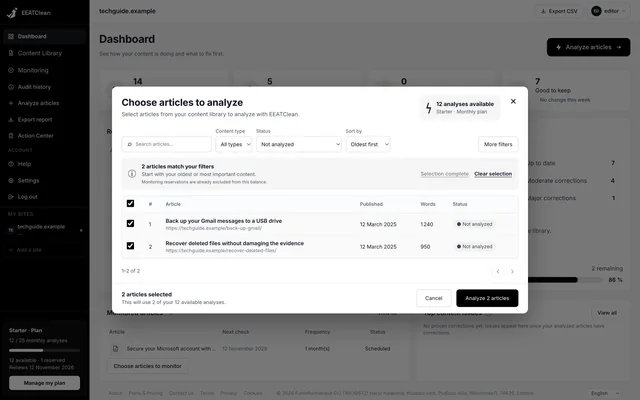
Know why an analysis cannot start
When an analysis cannot start, the workspace reports the reason so you can address the blocking condition before trying again.
Read the release note
-
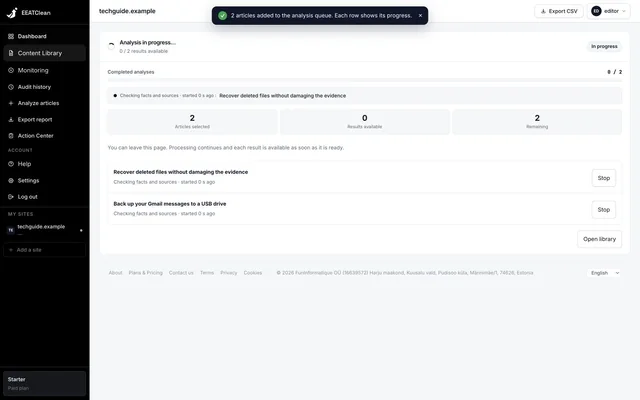
Real progress, not an estimated percentage
The library and progress panel show the active stages: reading the article, identifying claims, consulting sources, checking, reviewing and writing the report. Available counts and elapsed time are displayed as work progresses.
Read the release note -
Broader checks across article sections
The analysis planner revisits sections without identified claims and splits overly broad source searches into smaller groups. Context is considered before treating a relative expression such as “today” as a dated factual claim.
Read the release note -
More reliable WordPress imports
Content types in their own REST namespace can be discovered. Missing total-count headers no longer lead to a guessed complete inventory, and unavailable types are identified. Service-page filtering no longer incorrectly rejects an otherwise valid Pages import.
Read the release note
-
Verification through Rescan
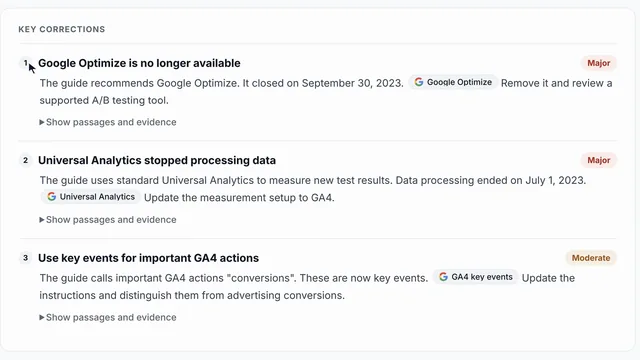
The newer reports no longer offer Mark as fixed as a way to declare an issue resolved. After editing the article on your site, run Rescan to obtain a fresh diagnosis and sources.
Read the release note
-
Visible analysis states
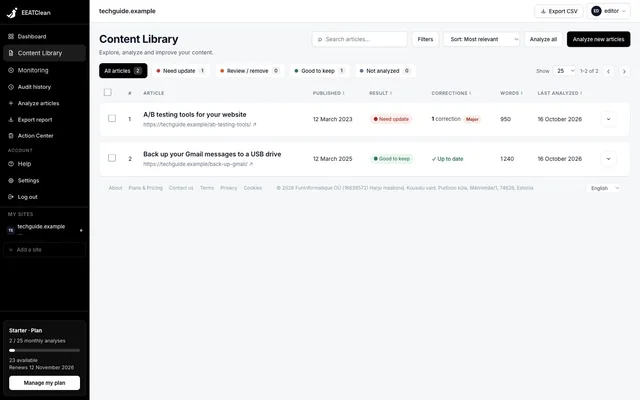
Queued and running articles show their state and elapsed time in the library and progress view. Starting an analysis produces visible feedback, and failures use clearer explanations.
Read the release note
Put the latest improvements to work.
Analyse your articles, review the evidence and follow your corrections in one workspace.